I remember sitting at my kitchen table with $340 in my account, staring at a daycare invoice for $210 and a light bill that was already past due. I did not know yet that a tax credit was waiting for me worth more than that month's whole paycheck. Nobody handed me a list. I found out by accident, from another mom in a Facebook group, two years too late. That is the part that still gets under my skin when I talk to other single moms. The free financial resources for single moms that actually exist, real programs with real money and real help attached, are scattered across a dozen confusing websites and mostly nobody tells you they are there. So here are ten of them. If you already know five, that is still five more dollars in your pocket than you had this morning. Why so many single moms never hear about any of this None of this is because you were not paying attention. Every one of these programs requires you to find it first, prove...
I meant to move fifty dollars into savings every single payday for almost a year before I actually did it consistently, and looking back, the gap between meaning to and actually doing it had nothing to do with the money not being there.
Some paydays I'd remember around week two, after half of it was already spent on things that felt urgent in the moment. Some paydays I'd remember and decide I'd do it "after this next bill clears." The intention was completely real. It just kept losing to whatever felt more immediate that particular day, which is a different problem than not having the money, and it needed a different fix than trying harder to remember.
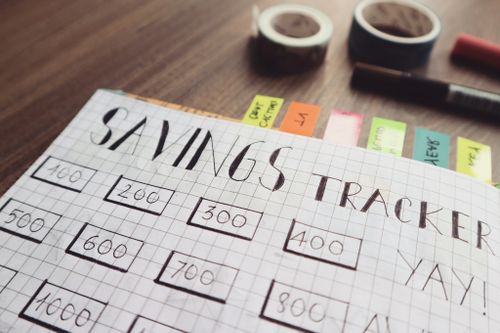
Why remembering to save doesn't actually work long term
The problem with manual saving isn't willpower in the way it gets talked about. It's that saving requires an active decision every single payday, made at exactly the moment other things are competing for the same attention and the same money. Bills feel urgent because they have consequences attached. Savings, by comparison, feels like something that can happen next time without an obvious cost for delaying it again.
Automation removes that recurring decision entirely. Instead of choosing to save every two weeks, the choice gets made once, during setup, at a moment when it's calm and clear headed rather than competing with a grocery list or a bill due in three days. After that, the money simply moves, whether or not that particular payday feels like a good one to remember savings.
Splitting your direct deposit at the source
Most people default to moving money manually after a paycheck lands in checking, but a lot of employers actually allow splitting a direct deposit across multiple accounts before it ever reaches checking at all.
This usually means going to payroll or an employee portal and specifying that a set dollar amount or percentage goes directly to a separate savings account, with the remainder landing in checking as usual. The savings portion never touches the account you spend from, which removes an entire step and an entire opportunity to reconsider once the money's already visible sitting there.
I split my own direct deposit so that $35 goes straight to a separate account at a different bank, and the rest lands in checking normally. I don't see that $35 in my checking balance at all, which turned out to matter more than I expected. Money that never appears in the account you spend from doesn't get mentally counted as available, in a way that money sitting there and waiting to be moved sometimes does.
Setting up an automatic transfer if a payroll split isn't available
Not every employer offers a direct deposit split, and in that case, an automatic transfer set up through your bank still accomplishes almost the same result.
The timing matters here in a specific way. Setting the transfer for the same day your paycheck lands, or the morning after, means the money moves before it's had a chance to blend into the rest of the balance and start feeling like general spending money. Waiting until later in the pay period to move savings usually means competing against whatever's already been spent by that point.
The overdraft risk that stops a lot of people from automating
This is the part that keeps people from setting up automation in the first place, and it's a legitimate concern rather than an excuse. If income is irregular or a paycheck comes in slightly lower than usual some periods, an automatic transfer set at a fixed amount can trigger an overdraft if the checking account doesn't have enough left to cover it alongside other automatic payments.
The fix isn't avoiding automation entirely. It's building in a buffer at the amount level rather than skipping the automation itself. Setting the automatic transfer at an amount comfortably below what a genuinely tight paycheck would still cover, rather than the amount you'd move on a good week, protects against this. If a typical paycheck covers essentials with $120 to spare in a rough week, automating $30 rather than $75 keeps the transfer safe even when the week isn't a good one, and any additional amount above that can be moved manually on the weeks that do have more room.
Many banks also offer low balance alerts that notify you before an automatic transfer would overdraw the account, which adds a layer of warning without requiring you to track the balance manually every single week.
Automating more than one thing at once
Once a single automatic transfer is running reliably, the same approach extends naturally to more than one goal. A sinking fund for an annual expense, an emergency fund contribution, and a longer term savings goal can each have their own small automatic transfer, timed to the same payday, landing in clearly labeled separate accounts or tracked categories.
A dental hygienist earning $23 an hour automated three separate transfers on the same payday, $20 to an emergency fund, $15 to a holiday sinking fund, and $10 to a car maintenance fund, all landing the same morning her paycheck arrived. She told me the specific amounts mattered less than the fact that all three happened without her doing anything at all once they were set up, and a year later all three funds existed at meaningful levels she hadn't had to actively think about building.
My free Minimal Monthly Expenses Tracker is where I track what's automated where, since once multiple transfers are running it helps to have one place showing which fund is at what balance rather than checking several accounts separately to piece the full picture together.
What automating actually adds up to over a year
The $35 I automate every payday comes to $910 over a full year, assuming twenty six pay periods, without a single manual decision required after the initial setup. Compare that to the previous year, when I intended to save the same rough amount manually and actually managed something closer to $340 total, because roughly half the paydays got missed once whatever felt urgent that day won out.
Same intention both years. The difference wasn't discipline. It was whether the money moved automatically or depended on remembering and choosing to do it every single time.
My Simple Monthly Budget Planner Pro tracks each automated transfer alongside the rest of the budget, so the growing balances show up in the same place as everything else rather than requiring a separate check across multiple accounts to see the full picture.
Frequently asked questions
How do I automate savings if my income changes from paycheck to paycheck?
Set the automatic amount based on your lowest typical paycheck rather than your average or best one, so the transfer stays safe even during a tighter pay period. Any additional amount available during a stronger paycheck can be moved manually as a bonus contribution, rather than building the automation around an amount that only works some of the time. This keeps the automatic transfer reliable regardless of which kind of pay period you're in.
What if my automatic transfer causes an overdraft?
This usually means the amount was set too close to what a tight paycheck can actually cover. Lower the automatic amount to a level that's comfortably safe even during a rough week, and consider setting up a low balance alert through your bank so you get a warning before a transfer would overdraw the account. It's better to automate a smaller, reliable amount consistently than a larger amount that occasionally causes a fee.
Can I automate savings for more than one goal at the same time?
Yes, and this often works better than trying to move a single larger amount toward multiple purposes manually. Setting up separate automatic transfers, even small ones, for an emergency fund, a specific sinking fund, and any other savings goal means each one grows independently without requiring you to manually divide a single transfer every payday. Most banks allow multiple recurring transfers to different destination accounts without any added complexity.
The fifty dollars that finally started moving
It wasn't really about the fifty dollars, or the thirty five I eventually settled on once I accounted for a tighter paycheck actually happening some weeks. It was about removing the moment where I had to choose to do it again, every single payday, competing against whatever felt more urgent that particular week.
Once the transfer became automatic, the amount stopped depending on how the week had gone. It just moved, the same way a bill does, except this one was building something instead of paying for something already spent.
When you're ready to track multiple automated transfers alongside your full budget, my Simple Monthly Budget Planner Pro shows every fund growing in the same place.
Not there yet? Start with my free Minimal Monthly Expenses Tracker to see exactly what you could safely automate based on your real numbers.
Follow on Instagram and Pinterest for weekly money tips for real incomes.
Have you set up an automatic transfer before and had it work, or has it ever caused an overdraft you didn't expect? I'd like to know which one you've run into.
Comments
Post a Comment